
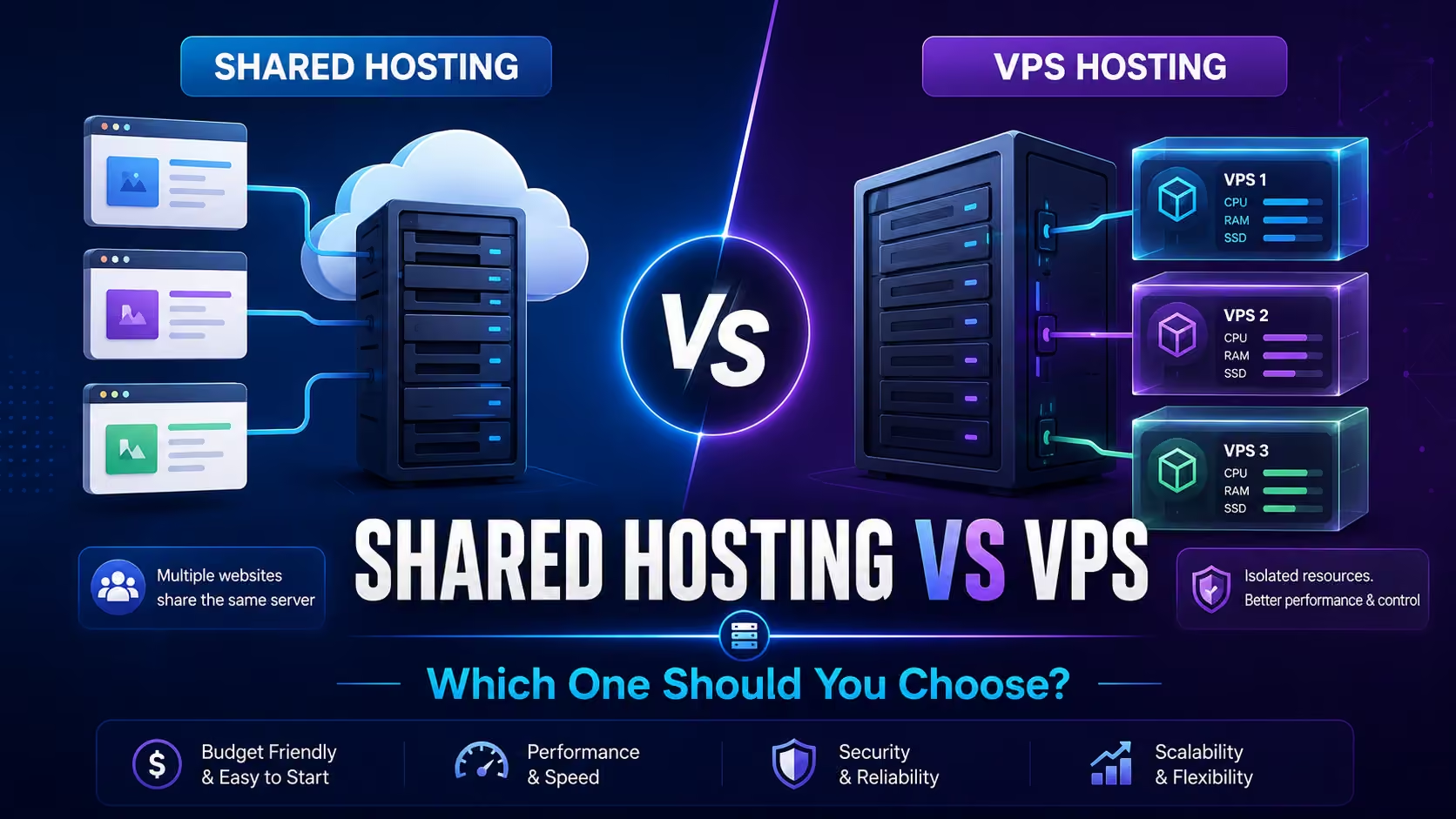
When choosing web hosting, one of the most common decisions website owners face is shared hosting vs VPS.
Both hosting types can run websites successfully, but they are designed for different requirements, budgets, traffic levels, and technical needs.
Shared hosting is generally easier and more affordable, making it popular with beginners, bloggers, small businesses, portfolios, and smaller WordPress websites.
VPS hosting provides more isolated resources, flexibility, and control, which can make it more suitable for growing websites, resource-intensive applications, busy online stores, and users who need greater control over their hosting environment.
But does every growing website need a VPS?
And is shared hosting always slower or less secure?
Not necessarily.
In this complete shared hosting vs VPS hosting comparison, we will examine performance, pricing, resources, security, scalability, control, WordPress compatibility, eCommerce requirements, and more so you can choose the right hosting solution for your website.
Shared Hosting vs VPS: Quick Comparison
Here is a simple overview:
| Feature | Shared Hosting | VPS Hosting |
|---|---|---|
| Cost | Lower | Higher |
| Beginner Friendly | Excellent | Moderate |
| Server Management | Usually managed | Depends on plan |
| Resource Isolation | Limited | Greater |
| Root Access | Usually no | Often available |
| Scalability | Moderate | Higher |
| Technical Knowledge | Low | Moderate to high |
| Small Websites | Excellent | Usually unnecessary |
| Growing Websites | Good until limits reached | Excellent |
| WooCommerce | Suitable for smaller stores | Better for demanding stores |
| Custom Server Software | Limited | Greater flexibility |
| Maintenance | Easier | More responsibility on unmanaged VPS |
| Best For | Beginners and small websites | Growing and demanding websites |
The better option depends on what your website actually needs.
What Is Shared Hosting?
Shared hosting is a hosting environment where multiple hosting accounts use resources from the same server infrastructure.
Think of it like living in an apartment building.
You have your own apartment, but the building and some underlying infrastructure are shared with other residents.
In web hosting, multiple customers may share resources such as:
- CPU
- Memory
- Storage infrastructure
- Network connectivity
- Server software
Each account normally remains separate, but the server’s overall resources are shared.
Shared hosting is commonly used for:
- Small business websites
- Blogs
- Portfolio websites
- Personal websites
- New WordPress websites
- Landing pages
- Local service businesses
- Small agency websites
For many websites, shared hosting provides more than enough resources.
What Is VPS Hosting?
VPS stands for Virtual Private Server.
A physical server can be divided into multiple virtual server environments using virtualization technology.
Each VPS receives a more isolated environment and usually has defined server resources.
Depending on the provider, a VPS may provide:
- Dedicated or allocated CPU resources
- Allocated RAM
- Storage
- Greater server control
- Root access
- Custom software installation
- More advanced configuration options
VPS hosting is commonly used for:
- Growing websites
- High-traffic WordPress websites
- WooCommerce stores
- Membership websites
- Custom web applications
- Agencies
- Developers
- SaaS applications
- Websites needing additional server resources
A VPS generally offers more control than shared hosting, but that control can also create additional management responsibility.
1. Shared Hosting vs VPS: Price
Price is one of the biggest differences.
Shared Hosting Cost
Shared hosting is usually more affordable because multiple accounts share server infrastructure.
That makes it a practical option for:
- Beginners
- Startups
- Small businesses
- Bloggers
- New websites
If your website has modest requirements, paying for VPS-level resources may be unnecessary.
VPS Hosting Cost
VPS hosting generally costs more because you receive a more isolated environment and additional resources.
Pricing can depend on:
- CPU
- RAM
- Storage
- Bandwidth
- Management
- Backups
- Control panel licensing
- Operating system
- Technical support
Managed VPS hosting normally costs more than unmanaged VPS hosting.
Winner for Price: Shared Hosting
If budget is your main concern and your website does not require advanced resources, shared hosting usually provides better initial value.
2. Performance
Performance is one of the most discussed areas in the VPS vs shared hosting debate.
Shared Hosting Performance
A quality shared hosting server can run small and medium websites efficiently.
Performance depends on:
- CPU availability
- Server load
- RAM
- Storage
- Database performance
- Caching
- Website optimization
A simple WordPress website may perform perfectly well on shared hosting.
VPS Performance
VPS hosting generally provides more predictable resource availability.
This can be useful for websites processing:
- Large numbers of requests
- Database activity
- WooCommerce transactions
- Membership activity
- Resource-intensive plugins
- Custom applications
However, VPS hosting does not automatically make a poorly optimized website fast.
A badly configured VPS can perform worse than a professionally managed shared hosting platform.
Winner for Performance Potential: VPS
But only when the additional resources are actually needed and the environment is properly configured.
3. Server Resources
Server resources are another major difference.
Shared Hosting Resources
Resources are shared across multiple customers.
Providers normally use limits to prevent one account from consuming too much of the server.
Limits can involve:
- CPU
- RAM
- Processes
- PHP workers
- File counts
- Database usage
VPS Resources
A VPS generally provides clearly allocated resources.
For example:
- 2 CPU cores
- 4 GB RAM
- 80 GB NVMe storage
The exact configuration depends on the hosting provider.
This resource isolation can make VPS hosting more predictable for demanding websites.
Winner for Resource Isolation: VPS
4. Ease of Use
Beginners should pay close attention to this difference.
Shared Hosting
Shared hosting is usually designed to be easy to manage.
Hosting providers often handle:
- Server operating system
- Core server software
- Security patches
- Network configuration
- Server maintenance
The customer focuses mainly on managing the website.
Many shared plans include cPanel or another hosting dashboard.
VPS Hosting
A VPS can require more technical knowledge.
With unmanaged VPS hosting, you may be responsible for:
- Server updates
- Security
- Web server configuration
- PHP
- Database configuration
- Firewall
- Backups
- Monitoring
- Troubleshooting
Managed VPS hosting reduces much of this complexity.
Winner for Beginners: Shared Hosting
If you are new to hosting, shared hosting is usually easier.
5. Control and Customization
VPS hosting generally provides much greater flexibility.
Shared Hosting Control
Because many users share the server infrastructure, hosting providers restrict access to system-level settings.
You normally cannot:
- Change the operating system
- Install arbitrary server-level software
- Modify core server configuration
- Get full root access
For most WordPress websites, this is not a problem.
VPS Control
A VPS may allow:
- Root access
- Custom server software
- Web server configuration
- Custom PHP configuration
- Database optimization
- Firewall customization
This flexibility is valuable for developers and advanced applications.
Winner for Control: VPS
6. Security
Both hosting types can be secure when properly managed.
Shared Hosting Security
A professional shared hosting provider should implement:
- Account isolation
- Server monitoring
- Firewalls
- Security updates
- Malware protection
- SSL support
- Backup systems
Website owners should still:
- Update WordPress
- Update themes
- Update plugins
- Use strong passwords
- Enable two-factor authentication
VPS Security
A VPS provides more isolation and control.
However, greater control creates greater responsibility.
An unmanaged VPS that is poorly configured can become less secure than professionally managed shared hosting.
If you are responsible for your own VPS, you may need to manage:
- Security updates
- Firewall
- SSH
- User permissions
- Malware protection
- Server monitoring
Security Winner: It Depends
Managed VPS can provide strong security and isolation.
But beginners may actually be safer on professionally managed shared hosting than an unmanaged VPS they cannot maintain properly.
7. Scalability
Your hosting requirements may change as your website grows.
Shared Hosting Scalability
Shared hosting works well until your website begins requiring more resources.
Many providers offer multiple shared hosting tiers.
You may upgrade from:
Basic Shared Hosting
to
Higher Resource Shared Hosting
before needing a VPS.
VPS Scalability
VPS hosting generally provides more flexibility for adding:
- CPU
- RAM
- Storage
This makes VPS hosting suitable for websites expecting significant growth.
Winner for Scalability: VPS
8. WordPress Hosting
Both shared hosting and VPS hosting can run WordPress.
Shared Hosting for WordPress
Shared hosting is often suitable for:
- New WordPress sites
- Business websites
- Blogs
- Portfolios
- Smaller Elementor websites
Look for:
- Current PHP support
- SSL
- Database support
- Backups
- Caching
- Sufficient PHP memory
VPS Hosting for WordPress
VPS hosting may be useful when WordPress becomes more demanding.
Examples include:
- High traffic
- Large databases
- WooCommerce
- Membership platforms
- Large Elementor websites
- Many dynamic requests
However, do not assume every WordPress website needs VPS hosting.
Winner for Normal WordPress Websites: Shared Hosting
Winner for Resource-Intensive WordPress: VPS
9. WooCommerce Hosting
WooCommerce can require more resources than a basic WordPress website.
An online store processes:
- Product searches
- Customer accounts
- Shopping carts
- Checkout
- Payments
- Orders
- Inventory
- Database requests
A small WooCommerce store may run successfully on quality shared hosting.
As traffic, orders, products, and plugins increase, VPS hosting can become more attractive.
Winner for Larger WooCommerce Stores: VPS
Shared Hosting vs VPS for Small Business
For many small businesses, shared hosting is enough.
A typical small business website may contain:
- Homepage
- Service pages
- About page
- Contact form
- Blog
- Images
These sites generally do not require dedicated server resources.
If you are building a normal business website, choosing the best web hosting for small business should focus on reliability, support, security, backups, and performance rather than automatically purchasing a VPS.
VPS hosting becomes more appropriate when the website grows beyond normal shared hosting limits.
Shared Hosting vs VPS for Beginners
If this is your first website, shared hosting is usually the easier choice.
Shared hosting allows beginners to focus on:
- WordPress
- Website design
- Content
- SEO
- Marketing
instead of server administration.
For a complete introduction to hosting fundamentals, read our web hosting for beginners guide before selecting your first plan.
Shared Hosting vs VPS for Agencies
Agencies have different requirements.
An agency may manage:
- Multiple websites
- Client staging environments
- Databases
- Backups
- Developer tools
Depending on the number and complexity of websites, options may include:
- Shared hosting
- Reseller hosting
- VPS
- Cloud hosting
Small agencies may be comfortable with reseller hosting.
Larger agencies may prefer VPS infrastructure for additional control.
Shared Hosting vs VPS for International Websites
Hosting type and server location are separate decisions.
You could have:
- Shared hosting in the USA
- VPS hosting in the USA
- Shared hosting overseas
- VPS hosting overseas
If your audience is distributed internationally, consider CDN technology regardless of hosting type.
For websites primarily serving American visitors, USA web hosting can be a logical choice.
If you are comparing geographic locations, review USA web hosting vs overseas hosting before making your decision.
Does VPS Hosting Make a Website Faster?
Sometimes.
If your website is slow because it lacks server resources, moving to VPS can improve performance.
But if the slowdown is caused by:
- Huge images
- Heavy JavaScript
- Poor plugins
- Bad database queries
- External scripts
- Missing caching
a VPS may not solve the problem.
Before upgrading, identify the bottleneck.
If speed is your priority, review our guide to fast web hosting USA and understand how server resources, caching, CDN, and website optimization work together.
Can Shared Hosting Be Fast?
Yes.
Shared hosting can perform very well for websites with appropriate resource requirements.
A well-managed shared server using:
- NVMe storage
- Modern PHP
- Caching
- Good network infrastructure
can provide excellent performance.
Do not judge hosting based only on whether it is called shared or VPS.
Compare the actual infrastructure.
Shared Hosting vs VPS: Storage
Both hosting types may use:
Storage amount alone should not determine your choice.
A website with 10 GB of files may still require considerable CPU because of dynamic traffic.
Another website may have 50 GB of static images but require relatively little processing.
Consider the complete resource profile.
Shared Hosting vs VPS: CPU
CPU is important for dynamic website processing.
WordPress can use CPU for:
- PHP
- Plugins
- Themes
- Database queries
- WooCommerce
- Forms
Shared plans place limits on CPU usage.
VPS hosting usually provides defined CPU resources.
If your website regularly reaches shared hosting CPU limits, VPS may be appropriate.
Shared Hosting vs VPS: RAM
RAM provides working memory for server processes.
Small websites may require very little memory.
More demanding websites may need more RAM.
VPS hosting allows you to select a resource package suited to your application.
Shared Hosting vs VPS: Backups
Backups depend on the provider.
Do not assume VPS automatically provides better backups.
Some unmanaged VPS providers may expect customers to configure backups themselves.
Before purchasing either hosting type, ask:
- Are backups automatic?
- How often are they created?
- How long are they retained?
- Is restoration included?
- Are backups stored separately?
Shared Hosting vs VPS: SSL
Both shared hosting and VPS hosting can support SSL.
For beginners, shared hosting often makes SSL installation easier.
Many control panels can automate:
- Installation
- Renewal
- HTTPS configuration
On an unmanaged VPS, SSL may require more manual configuration.
Shared Hosting vs VPS: Email
Many shared hosting plans include email accounts.
VPS email configuration depends more heavily on the provider and management level.
Running your own mail server on a VPS can require additional technical knowledge.
For many businesses, using a dedicated email provider may also be appropriate.
Managed VPS vs Unmanaged VPS
This distinction is extremely important.
Managed VPS
The hosting provider handles many server administration responsibilities.
Services may include:
- Updates
- Security
- Monitoring
- Web server management
- Troubleshooting
Managed VPS is easier but generally more expensive.
Unmanaged VPS
You manage the server yourself.
You may need Linux server knowledge.
Unmanaged VPS is often cheaper, but you are responsible for much more.
For beginners, unmanaged VPS hosting is usually not recommended unless they are willing to learn server administration.
When Should You Choose Shared Hosting?
Shared hosting may be the better choice when:
- You are building your first website
- Your budget is limited
- Your website has moderate traffic
- You use WordPress
- You run a small business
- You do not need root access
- You want simple management
- You do not want to manage a server
For these users, shared hosting often provides the best balance of affordability and usability.
When Should You Choose VPS Hosting?
VPS hosting may be better when:
- Your website regularly hits resource limits
- Traffic is growing
- You operate a busy WooCommerce store
- You run a membership website
- You need custom server software
- You require root access
- You need more control
- You have server management experience
- You need greater resource isolation
Upgrade because your website needs it—not because VPS sounds more professional.
How to Know When You Have Outgrown Shared Hosting
Possible signs include:
- Frequent resource limit warnings
- Slow performance during traffic spikes
- Hosting account suspensions caused by resource usage
- Database workloads exceeding plan limits
- Website traffic exceeding shared hosting capabilities
- Need for unsupported server software
Before upgrading, verify whether the bottleneck is actually hosting.
Shared Hosting vs VPS for SEO
Neither shared hosting nor VPS automatically ranks better in Google.
SEO depends on:
- Helpful content
- Search intent
- Website structure
- Technical SEO
- Internal links
- Backlinks
- Crawlability
- User experience
Hosting supports the technical foundation.
A reliable shared hosting environment can support SEO perfectly well.
Likewise, a VPS does not guarantee rankings.
Server Location and Shared Hosting vs VPS
If most visitors are in the United States, server location may be part of your hosting decision.
You can choose either shared or VPS infrastructure in a region suited to your audience.
When comparing a web hosting provider in the United States, evaluate:
- Infrastructure
- Resources
- Security
- Support
- Pricing
- Scalability
Do not choose hosting type based on location alone.
Affordable Shared Hosting vs VPS
Shared hosting usually wins on affordability.
If your website does not require VPS resources, paying more provides little benefit.
For budget-conscious website owners, affordable web hosting USA can provide a practical starting point.
As the website grows, upgrading becomes easier to justify.
Shared Hosting vs VPS Pros and Cons
Shared Hosting Pros
- Affordable
- Beginner-friendly
- Easy management
- Less server administration
- Good for WordPress
- Suitable for small businesses
Shared Hosting Cons
- Limited resources
- Less control
- Shared infrastructure
- May not suit very high traffic
- Limited custom server configuration
VPS Hosting Pros
- Greater resource isolation
- More control
- Better scalability
- Custom software support
- Root access
- Suitable for demanding websites
VPS Hosting Cons
- Higher price
- More technical complexity
- Server management may be required
- Security responsibility increases
- Can be unnecessary for small sites
Shared Hosting vs VPS: Which Is Better?
There is no universal winner.
Choose Shared Hosting If:
You have a small or medium website and want affordable, easy-to-manage hosting.
Choose VPS Hosting If:
Your website requires additional resources, customization, control, or scalability.
The best hosting is the one that matches your website.
Shared Hosting vs VPS Decision Table
| Website Type | Recommended Starting Option |
|---|---|
| Personal Website | Shared |
| Small Business Website | Shared |
| New WordPress Blog | Shared |
| Portfolio | Shared |
| Landing Page | Shared |
| Medium WordPress Website | Shared / Higher Resource Shared |
| Small WooCommerce Store | Quality Shared |
| Growing WooCommerce Store | VPS |
| Membership Website | VPS depending on load |
| High-Traffic Blog | VPS |
| Custom Application | VPS |
| Developer Environment | VPS |
| Multiple Client Websites | Reseller/VPS |
Questions to Ask Before Choosing Shared Hosting or VPS
Before purchasing, ask:
- How much traffic does my website receive?
- What CPU resources do I need?
- How much memory do I need?
- Am I reaching current resource limits?
- Do I need root access?
- Can I manage a server myself?
- Is the VPS managed?
- Are backups included?
- Is SSL included?
- What security features are provided?
- Can I upgrade later?
- What is the renewal price?
- Does my website use WooCommerce?
- Do I need custom server software?
- Where are my visitors located?
Answering these questions makes the choice much easier.
Why Consider United Web Host?
United Web Host provides hosting solutions for websites with different requirements and growth stages.
If you are starting a new website, shared hosting can provide a straightforward and affordable foundation.
As your website grows, your hosting requirements may also increase.
When choosing a plan, evaluate:
- Website size
- Traffic
- WordPress requirements
- CPU
- Memory
- Storage
- Security
- Backups
- Support
- Future growth
Choose the hosting environment that matches your current requirements while allowing you to scale when necessary.
Final Thoughts
The shared hosting vs VPS decision becomes much easier once you understand what each hosting type is designed to do.
Shared hosting is usually best for:
- Beginners
- Small businesses
- Blogs
- Portfolios
- Normal WordPress websites
- Budget-conscious projects
VPS hosting is usually better for:
- Growing websites
- High traffic
- Busy eCommerce
- Custom applications
- Developers
- Websites requiring advanced control
Do not automatically assume VPS is better simply because it offers more resources.
For many websites, shared hosting provides exactly what is needed.
The best strategy is to start with an appropriate hosting plan, monitor your website’s resource usage and performance, and upgrade when your requirements genuinely increase.
Not sure whether shared hosting or VPS is right for your website? Explore United Web Host hosting solutions and choose a plan based on your traffic, resources, budget, and future growth.
Frequently Asked Questions About Shared Hosting vs VPS
What is the main difference between shared hosting and VPS?
Shared hosting allows multiple accounts to share server resources, while VPS hosting provides a more isolated virtual server environment with allocated resources.
Is VPS faster than shared hosting?
VPS hosting can provide greater performance potential because of resource isolation, but website optimization and server configuration also strongly affect speed.
Is shared hosting good for WordPress?
Yes. Shared hosting can work very well for small and medium WordPress websites when sufficient resources are provided.
Is VPS hosting better for WooCommerce?
VPS can be useful for growing or resource-intensive WooCommerce stores, although smaller stores may run successfully on quality shared hosting.
Is shared hosting secure?
Shared hosting can be secure when operated by a professional provider and the website owner follows good security practices.
Is VPS hosting more secure?
VPS provides more isolation, but security also depends on configuration and management. An unmanaged VPS requires the owner to maintain server security.
Does VPS hosting require technical knowledge?
Managed VPS reduces technical requirements. Unmanaged VPS usually requires server administration knowledge.
When should I upgrade from shared hosting to VPS?
Consider upgrading when your website consistently reaches resource limits, requires more control, receives significantly more traffic, or needs server configurations unavailable on shared hosting.
Is VPS hosting good for beginners?
Usually, shared hosting is easier for beginners. Managed VPS may be appropriate when a beginner requires additional resources but does not want to manage the server.
Is shared hosting cheaper than VPS?
Yes, shared hosting is generally less expensive because multiple accounts share the underlying server infrastructure.
Does VPS improve SEO?
VPS hosting does not automatically improve rankings. It may improve technical performance when additional resources are genuinely required, but SEO depends on many other factors.
Can I migrate from shared hosting to VPS later?
Yes. Websites can normally be migrated from shared hosting to VPS when more resources or control are required.