
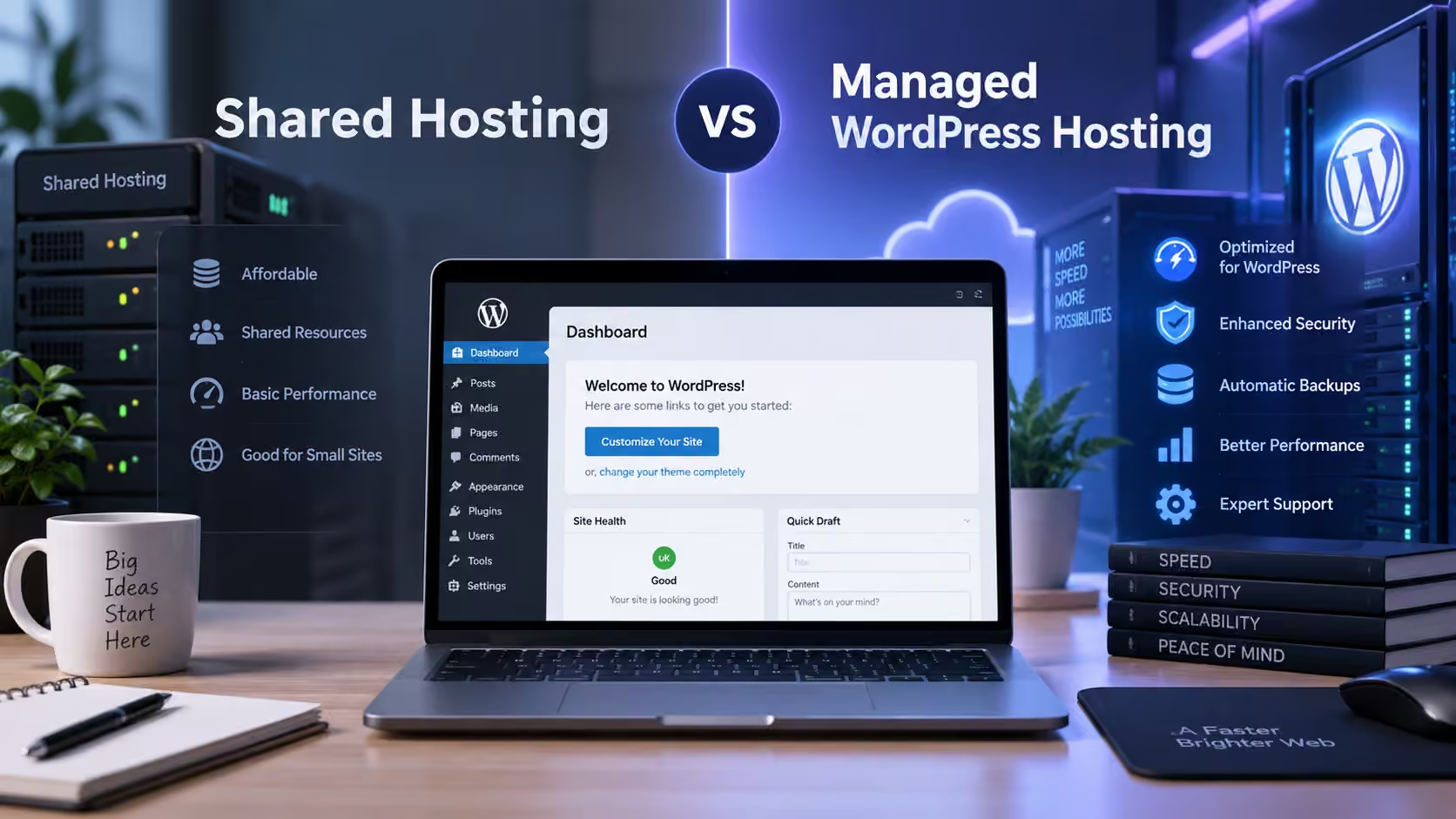
Choosing between managed WordPress hosting vs shared hosting can be confusing, especially when both hosting types claim to support WordPress.
For a new website owner, shared hosting may look attractive because it is affordable and simple. Managed WordPress hosting usually costs more but can include additional services such as WordPress-specific caching, automatic backups, staging, security tools, updates, and specialized support.
So which one should you choose?
The answer depends on your website, budget, technical experience, expected traffic, performance requirements, and how much server management you want to handle yourself.
For a small blog or basic business website, shared hosting may be completely sufficient. For a growing business, busy WooCommerce store, membership site, or website where uptime and maintenance are especially important, managed WordPress hosting can provide additional convenience.
This guide compares managed WordPress hosting vs shared hosting across performance, price, security, backups, support, scalability, WordPress management, and more.
Managed WordPress Hosting vs Shared Hosting: Quick Comparison
| Feature | Shared Hosting | Managed WordPress Hosting |
|---|---|---|
| Price | Lower | Usually higher |
| Beginner Friendly | Very good | Excellent |
| WordPress Specific | Not always | Yes |
| Automatic Backups | Depends on plan | Common |
| Staging | Sometimes | Common |
| WordPress Updates | Usually user-managed | Often managed |
| Specialized Support | General hosting support | WordPress-focused |
| Server Caching | Depends on provider | Often optimized |
| Resource Availability | Shared | Usually more optimized |
| WooCommerce | Suitable for smaller sites | Often better for growing sites |
| Maintenance | More user responsibility | Less user responsibility |
| Scalability | Depends on plan | Usually stronger |
Neither option is automatically better for everyone.
The right choice depends on what you need.
What Is Shared WordPress Hosting?
Shared WordPress hosting usually means a shared hosting environment capable of running WordPress.
Multiple customers use the same physical server infrastructure, while each hosting account remains logically separated.
Server resources such as CPU, memory, storage, and processes are shared between accounts according to the provider’s resource policies.
Shared hosting is commonly used for:
- New WordPress websites
- Small business websites
- Blogs
- Portfolio websites
- Local business websites
- Landing pages
- Personal websites
One of the biggest advantages is affordability.
For many smaller websites, a quality shared hosting plan provides enough resources without requiring expensive infrastructure.
What Is Managed WordPress Hosting?
Managed WordPress hosting is hosting where the provider handles more WordPress-specific technical responsibilities for you.
Depending on the provider, managed hosting may include:
- WordPress installation
- Automatic backups
- WordPress updates
- Security monitoring
- Server-side caching
- Staging environments
- Performance optimization
- Malware protection
- WordPress-specific support
- CDN integration
The exact definition varies between providers.
Some managed WordPress plans provide extensive management, while others simply add a few WordPress features to regular hosting.
Always compare the actual features rather than relying only on the word “managed.”
1. Price: Shared Hosting Usually Costs Less
Price is one of the biggest differences in the managed hosting vs shared hosting comparison.
Shared Hosting Pricing
Shared hosting is generally cheaper because server resources and infrastructure are distributed across multiple accounts.
This makes shared hosting especially attractive to:
- Beginners
- Bloggers
- Freelancers
- Startups
- Small businesses
If your website is relatively simple, paying for managed WordPress features may not be necessary.
Managed WordPress Hosting Pricing
Managed WordPress hosting typically costs more because the provider may include additional services such as:
- Automated backups
- Staging
- Specialized caching
- Security monitoring
- WordPress maintenance
- Technical support
You are partly paying for convenience and management.
Winner for Lowest Cost: Shared Hosting
But cheapest does not always mean best value.
2. Ease of Use
Both hosting types can be beginner-friendly.
However, managed WordPress hosting generally reduces the number of technical tasks the website owner needs to handle.
Shared Hosting
With shared hosting, you may manage:
- WordPress installation
- Updates
- Backups
- Caching
- Security plugins
- Performance optimization
Many hosting providers simplify these tasks through cPanel or another control panel.
Managed WordPress Hosting
A managed platform may automate more of these responsibilities.
This can make it useful for business owners who want to focus on:
- Content
- Customers
- Marketing
- Products
- Sales
rather than server configuration.
Winner for Convenience: Managed WordPress Hosting
3. WordPress Performance
Performance depends much more on actual infrastructure than on the hosting label.
A good shared server can outperform a poorly configured managed WordPress server.
However, managed WordPress hosting often includes WordPress-specific performance features.
These may include:
- Page caching
- PHP optimization
- Object caching
- CDN integration
- Database optimization
- Optimized web server configuration
If performance matters heavily, investigate the actual technical environment.
Do not simply assume:
Managed = fast
or:
Shared = slow
If you want a deeper technical overview, read our WordPress Hosting USA guide for server resources, PHP, database, caching, security, and scalability considerations.
4. CPU and Memory Resources
WordPress websites use CPU and memory for dynamic activity.
This can include:
- PHP
- Plugins
- Themes
- Elementor
- Forms
- WooCommerce
- Database queries
- API integrations
Shared hosting usually has stricter resource limits because many accounts use the server.
Managed WordPress hosting may provide better optimized or larger resource allocations depending on the plan.
However, you should still ask:
- What CPU limits apply?
- What PHP memory is available?
- How many PHP workers are provided?
- Are resource limits clearly documented?
Hosting labels are less important than actual resources.
5. Security
Both hosting types can be secure.
Shared Hosting Security
A professional shared host may provide:
- Account isolation
- Firewall protection
- Malware scanning
- SSL
- DDoS mitigation
- Server monitoring
- Backups
You still need to maintain WordPress properly.
Managed WordPress Security
Managed hosting may add WordPress-specific security features such as:
- Automatic WordPress security updates
- Plugin vulnerability monitoring
- Malware detection
- Login protection
- Managed firewall rules
This can be valuable for website owners who do not want to maintain all security layers themselves.
Winner: Managed WordPress Hosting
For convenience—not because shared hosting is automatically insecure.
6. Backups
Backups are essential regardless of hosting type.
A website may need restoration after:
- Failed updates
- Plugin conflicts
- Malware
- Database corruption
- Accidental deletion
Shared hosting may include daily or weekly backups depending on the provider.
Managed WordPress hosting frequently includes automated backup systems and easier restoration.
Before purchasing either option, check:
- Backup frequency
- Retention period
- One-click restoration
- Off-site storage
- Whether backups include databases
- Restoration fees
For important business websites, maintain an independent backup as well.
7. WordPress Updates
WordPress requires regular updates.
Updates may include:
- WordPress core
- Plugins
- Themes
- PHP compatibility
On traditional shared hosting, the website owner commonly handles updates.
Managed WordPress hosting may automate some updates or provide safer management tools.
However, automatic updates should still be approached carefully.
A plugin update can occasionally break a website.
For important sites, staging and backups are valuable before major updates.
8. Staging Environment
A staging website is a private copy of your live website used for testing.
You can test:
- Plugin updates
- Theme updates
- WordPress updates
- PHP changes
- Design modifications
- Custom code
before applying them to production.
Shared hosting may or may not include staging.
Managed WordPress hosting frequently includes staging as a standard feature.
Winner for Developers and Businesses: Managed Hosting
9. Technical Support
Support quality matters more than simply whether the provider calls the plan “managed.”
Shared Hosting Support
Shared hosting support may cover:
- Domain issues
- DNS
- SSL
- Server issues
- Basic WordPress installation
Managed WordPress Support
WordPress-focused support teams may also understand:
- WordPress errors
- Plugin conflicts
- Caching
- WooCommerce
- WordPress performance
- Updates
If your business depends heavily on WordPress, specialized support can provide significant value.
Managed WordPress Hosting vs Shared Hosting for Beginners
Beginners can successfully use either option.
Shared Hosting Is Better If:
- Your budget is limited
- Your site is simple
- You want to learn WordPress
- You do not mind managing updates
- You need only basic hosting
Managed WordPress Hosting Is Better If:
- You want minimal maintenance
- You want automated backups
- You want staging
- You prefer WordPress-focused support
- You run an important business website
If this is your first website, read our Web Hosting for Beginners guide to understand domains, hosting resources, SSL, backups, and hosting types.
Small Business Websites
A small business website may contain:
- Homepage
- Service pages
- About page
- Contact form
- Blog
- Portfolio
Many small business websites can run perfectly well on shared hosting.
Managed hosting becomes more attractive when the website owner wants:
- Less technical maintenance
- Better backup management
- Staging
- Specialized support
If your website is business-focused, see our guide to the best web hosting for small business.
WooCommerce Stores
WooCommerce makes the hosting decision more important because online stores process more dynamic requests.
WooCommerce may handle:
- Products
- Customer accounts
- Carts
- Checkout
- Payments
- Orders
- Inventory
A small WooCommerce store may run on quality shared hosting.
A growing store can benefit from managed WordPress/WooCommerce hosting with stronger resources.
Our guide to the best hosting for WooCommerce explains these requirements in more detail.
Elementor Websites
Elementor websites can run on shared or managed hosting.
What matters is the website’s complexity.
A site containing:
- Large hero images
- Multiple animations
- Many widgets
- Third-party scripts
- Large plugin stacks
may require more server resources and frontend optimization.
Managed hosting can simplify server-side optimization, but it cannot fix an unnecessarily heavy website design by itself.
Blogs
For a small WordPress blog, shared hosting is often enough.
Blogs typically begin with modest traffic and relatively simple requirements.
You can start with shared hosting and upgrade when traffic increases.
Managed hosting may still be worthwhile if you prefer:
- Automatic backups
- Managed updates
- Better staging
- Easier maintenance
Membership Websites
Membership websites can be more demanding because users are logged in and pages may be personalized.
Logged-in content cannot always be cached like public blog pages.
As membership activity grows, server resources become increasingly important.
Managed WordPress hosting can be useful when it provides:
- Strong CPU resources
- More PHP workers
- Object caching
- Database optimization
Evaluate the actual plan resources.
Managed WordPress Hosting vs Shared Hosting for SEO
Neither hosting type automatically ranks better in Google.
SEO depends on:
- Useful content
- Search intent
- Internal links
- Technical SEO
- Backlinks
- Crawlability
- Website structure
Hosting supports technical areas such as:
- Availability
- Speed
- HTTPS
- Security
Our guide Does Web Hosting Affect SEO? explains the relationship in more detail.
Website Speed
Managed hosting may provide stronger built-in optimization, but shared hosting can still be fast.
For example, good shared hosting using:
- NVMe
- Modern PHP
- Server caching
- CDN
can deliver excellent performance for smaller websites.
Website speed also depends heavily on:
- Images
- Plugins
- Themes
- JavaScript
- CSS
- Fonts
See our Fast Web Hosting USA guide for a deeper explanation.
Managed WordPress Hosting vs Shared Hosting for International Websites
Both hosting types can serve global visitors.
For international websites, consider:
- CDN integration
- Server location
- Global DNS
- Image optimization
- Caching
If your origin server is in the United States but visitors come from around the world, a CDN can help distribute static assets.
For geographic hosting considerations, compare USA Web Hosting vs Overseas Hosting.
Managed WordPress Hosting vs VPS
Managed WordPress hosting and VPS are not necessarily the same thing.
A managed WordPress platform may run on:
- Shared infrastructure
- Cloud infrastructure
- VPS infrastructure
- Containers
VPS refers more specifically to server architecture.
If your website has outgrown shared hosting, compare shared hosting vs VPS before assuming VPS is necessary.
Is Managed WordPress Hosting Worth the Extra Cost?
It depends on what your time is worth.
Imagine shared hosting costs less, but you spend several hours each month handling:
- Backups
- Updates
- Staging
- Security
- Performance problems
Managed hosting may provide value by reducing that workload.
On the other hand, a developer comfortable managing WordPress may prefer shared or VPS hosting for greater control.
Managed hosting is not automatically better value.
It depends on the customer.
When Shared Hosting Is the Better Choice
Choose shared hosting when:
- You are starting a small website
- Your traffic is moderate
- Your budget is limited
- You do not need advanced server resources
- You are comfortable managing WordPress
- You do not require staging
Quality shared hosting can provide excellent value.
When Managed WordPress Hosting Is the Better Choice
Consider managed WordPress hosting when:
- Your website is important to your business
- You want fewer technical responsibilities
- You want automatic backups
- You want staging
- You want WordPress-focused support
- Your traffic is increasing
- You want optimized caching
The convenience can justify the additional cost.
Managed Hosting vs Shared Hosting: Scalability
Website requirements change.
A small WordPress site may later add:
- WooCommerce
- Memberships
- Booking
- More visitors
- More plugins
- More content
Before choosing hosting, check whether you can easily upgrade.
A provider should have a clear path from:
Basic WordPress Hosting
to:
Higher-Resource Hosting
to:
VPS / Cloud
Scalability matters more than buying the largest package immediately.
Managed WordPress Hosting vs Shared Hosting: Pros and Cons
Shared Hosting Pros
- Affordable
- Beginner-friendly
- Simple
- Suitable for smaller sites
- Flexible
- Easy control panel
Shared Hosting Cons
- Lower resource limits
- More maintenance
- Staging may be unavailable
- General rather than specialized support
Managed WordPress Hosting Pros
- WordPress optimized
- Automatic backups
- Staging
- Specialized support
- Easier maintenance
- Better management features
Managed WordPress Hosting Cons
- More expensive
- May restrict certain plugins
- Less server control
- Features vary widely between providers
9 Key Differences: Final Comparison
| Area | Shared Hosting | Managed WordPress |
|---|---|---|
| 1. Price | Lower | Higher |
| 2. Management | More DIY | More automated |
| 3. WordPress Optimization | General | Specialized |
| 4. Backups | Varies | Usually included |
| 5. Security | General | WordPress-focused |
| 6. Staging | Sometimes | Common |
| 7. Support | General | WordPress-focused |
| 8. Resources | Usually lower | Often optimized |
| 9. Convenience | Good | Excellent |
How to Choose the Right Option
Ask yourself:
- How important is this website?
- What is my budget?
- How much traffic do I receive?
- Do I use WooCommerce?
- Do I need staging?
- Do I want automatic backups?
- Can I manage WordPress updates?
- Do I need specialized support?
- Do I expect traffic growth?
- Do I use Elementor or resource-heavy plugins?
Your answers will usually make the decision clear.
Why Consider United Web Host?
United Web Host provides hosting solutions for WordPress websites with different requirements and budgets.
When choosing between shared and WordPress-focused hosting, consider:
- Website complexity
- Traffic
- WordPress requirements
- WooCommerce
- Storage
- CPU
- Memory
- Backups
- Security
- Support
Do not buy a more expensive plan simply because it contains more features.
Choose the hosting environment that fits your website today while providing room to grow.
Final Thoughts
The managed WordPress hosting vs shared hosting decision is ultimately about balancing cost, convenience, resources, and technical responsibility.
Shared hosting is often ideal for:
- Beginners
- Blogs
- Smaller business sites
- Budget-conscious websites
Managed WordPress hosting can be better for:
- Growing businesses
- WooCommerce stores
- Membership websites
- Website owners who want less maintenance
- Sites where staging and automated backups matter
Neither option automatically guarantees better speed, security, or SEO.
The quality of the hosting provider and the resources included in the plan matter much more.
If you are still deciding which WordPress environment is right for you, start with our complete WordPress Hosting USA guide and compare your website requirements before purchasing.
Looking for WordPress hosting? Explore United Web Host hosting solutions and choose a plan based on your website, traffic, budget, and future growth.
Frequently Asked Questions
What is managed WordPress hosting?
Managed WordPress hosting is a hosting service where the provider handles more WordPress-specific tasks such as backups, caching, security, updates, staging, and technical management.
What is shared WordPress hosting?
Shared WordPress hosting runs WordPress on shared server infrastructure where multiple hosting accounts use the same underlying server resources.
Is managed WordPress hosting better than shared hosting?
It depends. Managed hosting provides greater convenience and WordPress-focused features, while shared hosting generally costs less.
Is shared hosting good for WordPress?
Yes. Quality shared hosting can work very well for small and medium WordPress websites.
Is managed WordPress hosting faster?
It can be, especially when optimized caching and stronger resources are provided. However, a poorly optimized managed server can still be slower than quality shared hosting.
Is managed WordPress hosting worth it?
It can be worthwhile for business owners who value automated maintenance, backups, staging, specialized support, and convenience.
Do beginners need managed WordPress hosting?
Not necessarily. Shared hosting is often sufficient for beginners. Managed hosting can make WordPress easier to maintain.
Is managed hosting good for WooCommerce?
Yes, provided the plan includes sufficient resources for WooCommerce’s dynamic workload.
Does managed WordPress hosting improve SEO?
Not automatically. Hosting supports technical performance, uptime, HTTPS, and security, but SEO depends on many additional factors.
Can I move from shared hosting to managed WordPress hosting later?
Yes. WordPress websites can usually be migrated between compatible hosting environments.