
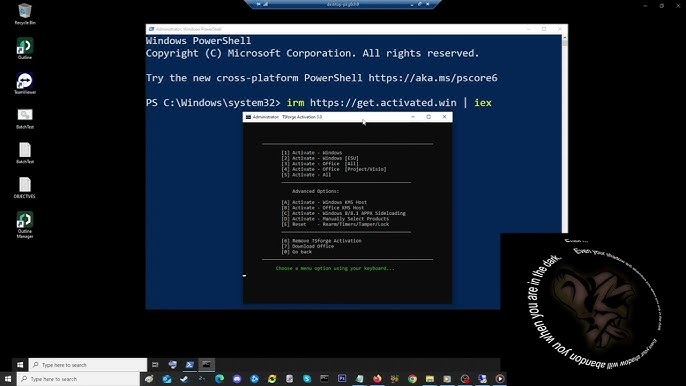
Windows 11 Activation Script – Complete Guide
Windows 11 activation is an important step for ensuring that your operating system is properly licensed and associated with a valid Microsoft license.
Many websites offer “Windows 11 Permanent Activation” scripts and activators. However, not every activation tool available online is safe or legitimate. Some unknown scripts may modify system files, disable Windows security features, or contain malicious code.
In this guide, we will explain how to use a Windows Activation Helper Script to check your activation status and how to activate Windows 11 using a genuine product key or digital license.
Important: This guide does not provide or promote cracked, pirated, KMS bypass, or unauthorized Windows activation methods. Always use a valid Windows license or genuine product key.
📥 Download Windows 11 Activation Script
You can download our Windows 11 Activation Helper Script using the button below.
[ ⬇️ Download Activation Script ]
File Name: Windows-Activation-Helper.ps1
The script is designed to help users check Windows activation information and simplify legitimate activation troubleshooting.
What Is Windows 11 Activation?
Windows activation is Microsoft’s process for verifying that your Windows installation is associated with a valid license.
When Windows is properly activated, you can use the operating system with its licensed features and continue receiving normal Windows updates and security improvements.
Windows activation can generally be associated with:
- A genuine product key
- A digital license
- A license linked to your Microsoft account
- A valid OEM license included with a device
- A properly licensed retail copy of Windows
Why Use an Activation Helper Script?
Checking Windows activation manually can sometimes be confusing, especially when troubleshooting a newly installed system.
An activation helper script can make it easier to:
- Check the current activation status
- Identify the installed Windows edition
- Review licensing information
- Troubleshoot activation-related issues
- Determine whether Windows is already activated
- Quickly access built-in Windows licensing tools
The script should be used as a diagnostic and legitimate activation helper, rather than as a replacement for a valid Windows license.
How to Use the Windows 11 Activation Script Latest Updated
Step 1: Download the Script
Click the Download Activation Helper Script button above.
If the script is provided inside a ZIP archive, extract the archive to a convenient location.
Before running any PowerShell script downloaded from the Internet, make sure you trust its source and review the code whenever possible.
Step 2: Open PowerShell as Administrator
Open the Windows Start menu and search for:
PowerShell
Right-click Windows PowerShell or PowerShell and select:
Run as administrator
Administrator privileges may be required for some Windows licensing commands.
Step 3: Review the Script
Before executing a .ps1 file, you should review its contents.
You can open the script using:
- Notepad
- Visual Studio Code
- Notepad++
- Another trusted text editor
Never blindly execute an unknown script with administrator privileges.
Step 4: Run the Script
After verifying that the script is safe, execute it from PowerShell according to the instructions included with the download.
The helper script can use Windows’ built-in licensing commands to display activation information.
How to Check Windows 11 Activation Status
Windows provides built-in commands for checking activation.
Open Command Prompt as Administrator and run:
slmgr /xpr
This command displays the Windows activation expiration/status information.
For more detailed licensing information, use:
slmgr /dlv
This can provide additional information about the installed Windows license and activation configuration.
You can also check activation through:
Settings → System → Activation
Activate Windows 11 Using a Genuine Product Key
If you already have a valid Windows product key, you can activate Windows through the official Windows activation interface.
Go to:
Settings → System → Activation
Then select:
Change product key
Enter your genuine 25-character product key.
A typical Windows product key has this format:
XXXXX-XXXXX-XXXXX-XXXXX-XXXXX
Windows will attempt to verify the license through Microsoft’s activation services.
What Is a Digital License?
A digital license is a Windows activation method that can allow a device to activate without manually entering a product key.
If your PC previously had a genuine Windows license, the license may already be associated with the device.
After reinstalling Windows, you may be able to select:
I don’t have a product key
during installation.
Once Windows is installed and connected to the Internet, activation may occur automatically if the device has an eligible digital license and the correct Windows edition is installed.
What Does “Permanent Activation” Actually Mean?
The phrase “Windows 11 Permanent Activation” is commonly used online, but it can be misleading.
A legitimate permanent Windows license is different from a cracked activation method.
For example, a genuine perpetual license can remain valid for the licensed device or user according to Microsoft’s licensing terms.
However, unauthorized activation tools may attempt to imitate or bypass Microsoft’s licensing system.
Those methods are not recommended.
Windows 11 Home vs Windows 11 Pro
Windows 11 comes in different editions, including:
- Windows 11 Home
- Windows 11 Pro
- Windows 11 Pro for Workstations
- Windows 11 Enterprise
- Windows 11 Education
Your license must correspond to the appropriate Windows edition.
For example, having a Windows 11 Home license does not automatically mean that you have a Windows 11 Pro license.
Always verify your installed edition before troubleshooting activation.
Why You Should Avoid Unknown Activation Tools
Many third-party “Windows Activators” request administrator privileges.
This creates a significant security risk because an administrator-level program can potentially make extensive changes to your computer.
Unknown activation tools may:
- Modify Windows system settings
- Disable Windows Defender
- Install unwanted software
- Add scheduled tasks
- Change network configuration
- Access sensitive files
- Download additional programs
- Contain malware or other unwanted code
For this reason, you should never disable your antivirus simply because an activation tool tells you to do so.
Security Checklist Before Running a PowerShell Script
Before running any activation-related script, follow these recommendations.
1. Verify the Source
Download scripts only from a source you trust.
2. Review the Code
Open .ps1 files in a text editor before executing them.
3. Avoid Unknown Commands
Be particularly careful with commands that download and execute additional files.
4. Do Not Disable Windows Security
Never disable Microsoft Defender or your antivirus just to run an unknown activator.
5. Use a Genuine License
A valid Windows license is the safest and most reliable activation solution.
Common Windows 11 Activation Problems
“Windows is not activated”
First, open:
Settings → System → Activation
Check the activation status and troubleshoot any displayed error.
“Product key doesn’t work”
Make sure:
- The product key is typed correctly
- The key belongs to Windows
- The installed Windows edition matches the license
- The key has not already been used in a way that prevents activation
- Your Internet connection is working
Windows Was Activated Before but Is Not Activated After Reinstallation
If Windows was previously activated, make sure you installed the same Windows edition that was originally licensed.
Then connect the computer to the Internet and check:
Settings → System → Activation
If the digital license is associated with the device, Windows may reactivate automatically.
Benefits of Genuine Windows Activation
Using a legitimate Windows license provides several advantages:
🔒 Better Security
You avoid the risks associated with unknown activation tools.
🔄 Normal Windows Updates
Your system can continue receiving Windows updates and security patches.
🛠️ Better Troubleshooting
Microsoft’s official activation and support mechanisms remain available.
💻 Reliable System Operation
You don’t need to depend on third-party activation services or scripts.
📜 Proper Licensing
You remain compliant with Microsoft’s software licensing requirements.
Frequently Asked Questions
Is this script a Windows 11 crack?
No. The Activation Helper Script is intended for activation status checking and legitimate troubleshooting. It does not provide an unauthorized activation bypass.
Can I permanently activate Windows 11 without a license?
A genuine permanent activation requires an appropriate valid license. Avoid websites offering suspicious “lifetime activation” tools without a legitimate license.
Do I need a product key if my PC has a digital license?
Not necessarily. If your device has an eligible digital license, Windows may automatically reactivate after installation when the correct edition is installed and the device is connected to the Internet.
How can I check whether Windows is activated?
You can use:
slmgr /xpr
or go to:
Settings → System → Activation
Can I use the script on Windows 11 Home and Pro?
The helper can be used to inspect activation information on supported Windows editions. However, the license must match the Windows edition you are using.
Should I disable Windows Defender before running an activation script?
No. You should never disable Windows security simply to run an unknown activation tool.
Final Thoughts
A reliable Windows 11 activation process should always start with a genuine license.
The Windows Activation Helper Script can make it easier to inspect your current activation status and troubleshoot licensing-related issues, but it should not be used to bypass Microsoft’s licensing system.
For the safest experience:
Use a genuine license → Install the correct Windows edition → Connect to the Internet → Verify activation.
📥 Download the Windows 11 Activation Helper Script
[ ⬇️ Download Script ]
File: Windows-Activation-Helper.ps1
Platform: Windows 11
Purpose: Activation status checking and legitimate troubleshooting
License: Use with a valid Windows license/product key
Security Notice: Always review scripts before executing them, especially when administrator privileges are required.